Crimson Moon Co-op Guide: Host, Join, and Recover
Host or join a two-player Crimson Moon hunt, confirm the party, coordinate shared lives and loot, and recover from session failure.
Direct answer
Use the Sanctus Clypeus portal to host a public or private session or join through Quick Match or a code, then wait until both players appear in the hub before deployment.
Quick answer
- Crimson Moon supports optional two-player online co-op.
- Hosts can create public or private sessions.
- Partners share one revive pool and can resurrect each other.
- Replaced gear can be picked up by the other player.
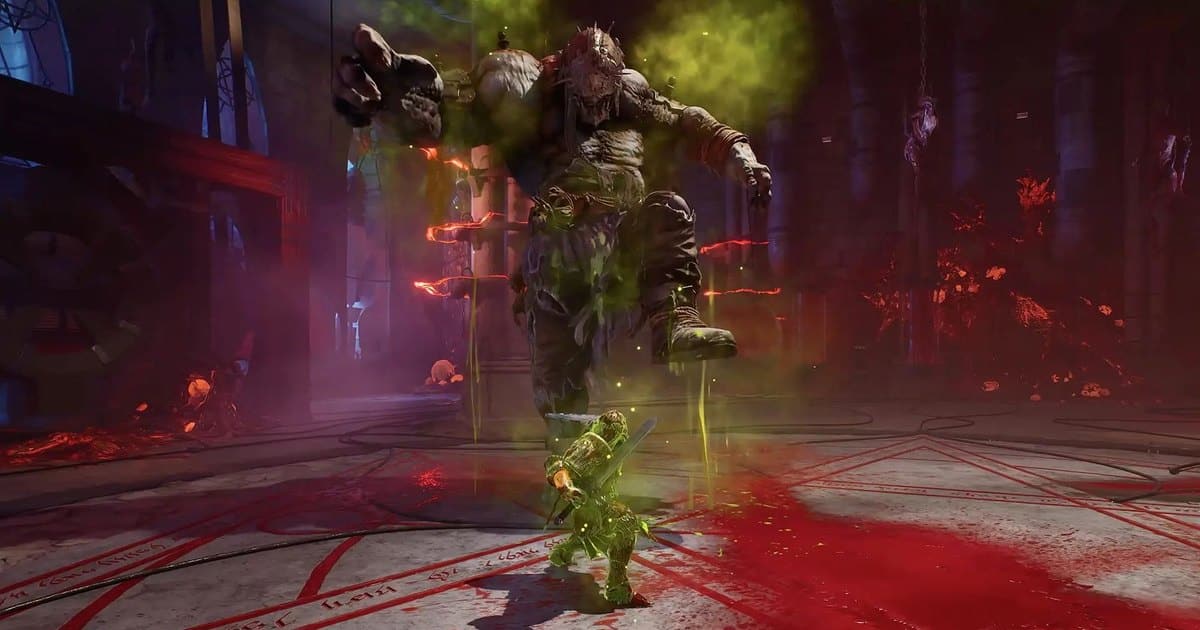
Co-op Requirements at a Glance
Crimson Moon co-op supports two players online. Matchmaking starts at the portal in Sanctus Clypeus, where one player hosts or a joining player chooses the appropriate public or private route.
| Requirement | Confirmed launch behavior | Ready state |
|---|---|---|
| Party size | Two players | Both players intend to enter the same hunt |
| Starting point | Sanctus Clypeus portal | Both players are in the hub session |
| Host options | Public matchmaking or a private friends-or-code session | The host session has been created |
| Join options | Quick Match or Join Via Code | The joining player reaches the host's hub |
| Revives | One shared revive pool | Both players understand that every death affects the same pool |
Host or Join a Hunt
Choose one branch and finish it in the hub before anyone starts the mission.
- Go to the matchmaking portal in Sanctus Clypeus.
- Host path: open the invite control, select Host Game, then choose a private friends-or-code session or public matchmaking.
- Join path: use Quick Match for a public session or Join Via Code with the host's code.
- Wait until both players are visible together in the hub.
- Start the mission only after the shared hub state is visible to the pair.
The co-op video below shows the pace and coordination of a real launch-day two-player hunt. It is most useful for seeing hub preparation, revive pressure, and how two combat roles occupy the same encounter.
A complete two-player launch-day hunt
Watch a full co-op session for visual context on hub preparation, shared revive pressure, and coordinated combat.
Confirm the Party Before Deployment
The most reliable progress check is visual: both players are present in the hub before the War Table launch. A sent invitation alone does not prove that the session is ready.
| Check | Expected state | Stop condition |
|---|---|---|
| Host session | The chosen public or private session exists | The host has not completed Host Game setup |
| Join result | The partner appears in the same hub | The partner is still absent from the hub |
| Mission launch | Both players remain visible before deployment | One player disappears or the connection fails |
If the ready state disappears, return to session setup. Starting from an unconfirmed hub gives the pair no verified basis for expecting the same mission state.
Coordinate Lives, Builds, and Loot
Partners share a revive pool and can resurrect each other. Exhausting that pool ends the run, so every risky engage spends a team resource even when only one player falls.
Enemy composition and difficulty scale with party size, while combined abilities can create co-op-only synergies. Build planning should therefore ask what the pair can combine, then assign each player a coherent role. The build-planning framework helps each partner choose effects that reinforce a single combat plan.
Loot has one concrete handoff rule: when newly equipped gear replaces an item, that dropped item can be picked up by the partner. Use the loot and purification workflow before treating a shared pickup as permanent progress.
For the larger mission sequence and life-pool consequences, follow the complete hunt structure after the session is stable.
Recover from Invite Failure or Disconnect
Use the smallest repeatable recovery path. The confirmed route is to return to the hub flow, create or join a fresh session, and verify both players together before another launch.
| Symptom | Likely state | Next check |
|---|---|---|
| Private invitation does not connect | The intended hub session is incomplete | Have the host create a fresh private session and share the current code |
| Join Via Code does not place both players together | The join path did not reach the host's hub | Re-enter through the portal and verify the code before retrying |
| A disconnect removes one player | The pair no longer has the visible ready state | Recreate or rejoin the session from Sanctus Clypeus |
| Both players reconnect | The session may be ready again | Confirm both Nephilim in the hub before starting a mission |
This recovery path restores a verified lobby state. It does not prove that interrupted campaign credit, Boons, rewards, or in-progress mission state will be restored.
What Co-op Facts Are Confirmed at Launch
The confirmed rules cover two-player online co-op, portal matchmaking, public and private host paths, Quick Match and code joining, a shared revive pool, resurrection, party-size scaling, co-op ability synergies, and pickup of gear replaced by the partner.
The current verified material does not establish a universal rule for shared Boons, mission rewards, campaign credit, cross-platform details, or reconnect continuity. Confirm both players in the hub and plan around the mechanics listed above rather than assuming an interrupted session will preserve every run state.
Frequently Asked Questions
Was this helpful?
Continue reading
These related Crimson Moon pages answer the next questions around this topic.